The BOMs menu provides links to BOM form fields and controls that allow you to view, create, import, delete, and export BOMs. This enables you to search for functionality or export additional fields to augment CIS BOM (.DSN or .CSV) or non-CIS BOM (.CSV) information imported into CIP.
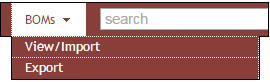
BOM Menu Options
You can perform the following operations when you select the BOMs > View/Import menu:
•View a BOM Revision (Single or All Variants)
•Create/Copy to a New Revision
•Import Parts (BOM Items) into a BOM
•Delete a BOM Revision/Variant
You can perform the following operations when you select the BOMs > Export menu:
•Select and Export Existing BOM
•Upload and Export a Parts List
•Generate a Template for BOM Export
Note: Export functionality is not available when using the System Capture plugin.