The BOMs > View/Import menu allows you to select and view a BOM, create BOM part numbers, import a parts list to a BOM, and delete a BOM. You can import part data from a CSV text file or from a design (DSN). Once your BOM is created, you can edit BOM fields, import/update BOM Items, copy BOMs/Revisions/Variants, or delete a BOM Revision's Core or a Variant.
When you select BOMs > View/Import, the BOM Information page selects the first BOM-Revision-Variant in the list and displays the info of the BOM and its BOM Items.
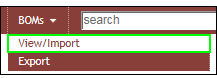
BOMs > View/Import

BOM-Revision-Variant
After selecting the BOMs > View Import menu, you can:
•Create/Copy to a New Revision
•Delete a BOM Revision/Variant