The Schematic Part/PCB Footprint Delimiter is used by CIP and Capture CIS when a part has more than one symbol in the Schematic Part or PCB Footprint fields. By default, a comma (,) is the delimiter used.
Note: Users with permission to configure Other options in Admin > Configuration can change the Schematic Part/PCB Footprint Delimiter.
To configure the Schematic Part/PCB Footprint Delimiter, select the Admin > Configuration menu, then click the Other tab.
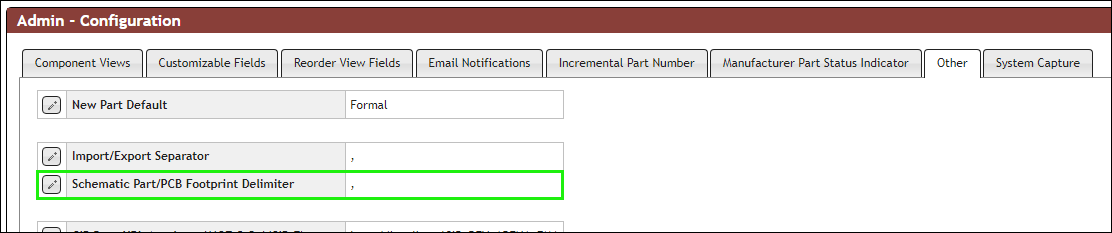
Editing the Schematic Part/PCB Footprint Delimiter
Select the Edit button  for the Schematic Part/PCB Footprint Delimiter. Allowable delimiters are shown in the following figure. If Capture CIS is configured to use a different limiter, you need to set CIP to use the same delimiter. This enables CIP to treat each symbol separately. After changing your selection, select the Save button
  to accept changes, or click Cancel
  to discard changes..
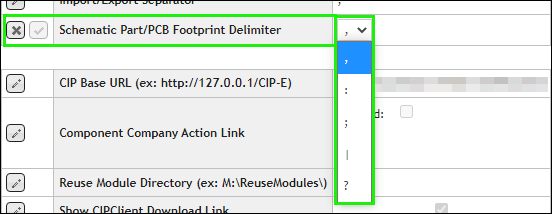
Configuring Schematic Part/PCB Footprint Delimiter