The CIP base URL allows easy access to the CIP part directly when you view a part in CIS.
Note: Users who are granted permission to configure customizable fields are also granted permission to change the CIP Base URL.
To configure the Link for all parts, select the Admin > Configuration menu, then click the Other tab. Select the Edit button  that is located next to the CIP Base URL option.
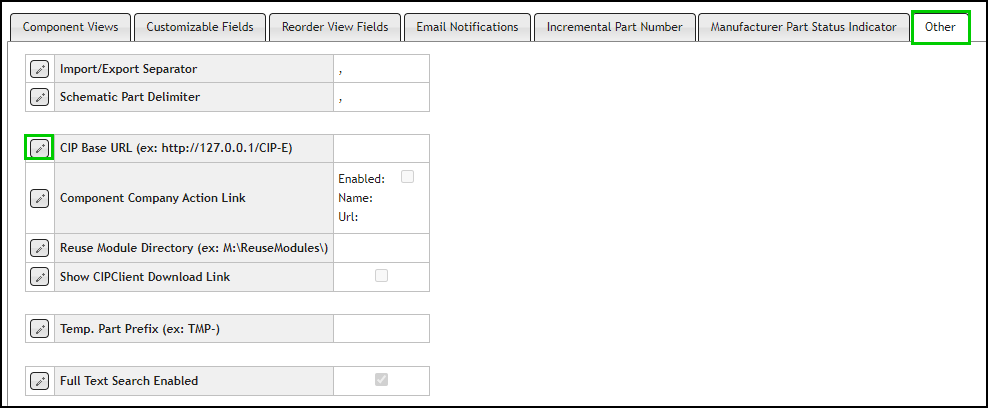
Editing the CIP Base URL
Type in the URL for CIP and click the Save button  , or click Cancel
  to discard changes.
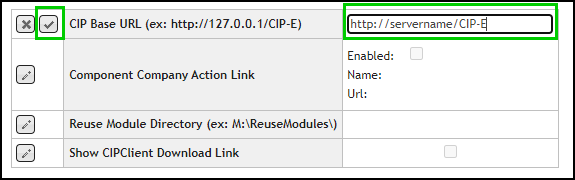
Entering the CIP URL
After you save the link, all parts in the database that correspond to this link update. Depending upon the number of parts in your CIP database, the update process may take serveral minutes. The next time you open CIS, the CIP link will be active.
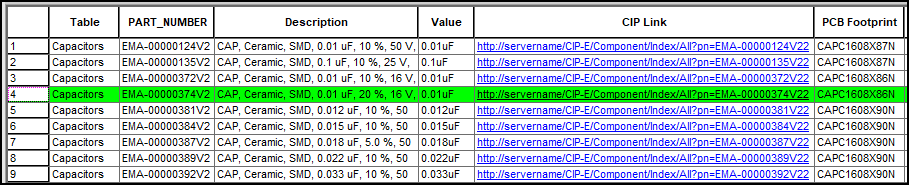
CIP Link Updated