To update CIP Client Settings
1.Open OrCAD Capture/CIS.
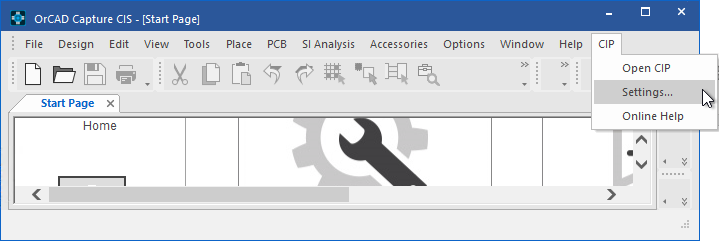
2.Select CIP from the top menu bar and then click Settings....
| If CIP is unavailable from the top menu bar, see the Troubleshooting Installation section. |
3. The CIP Settings window opens as shown, with options to configure the following:
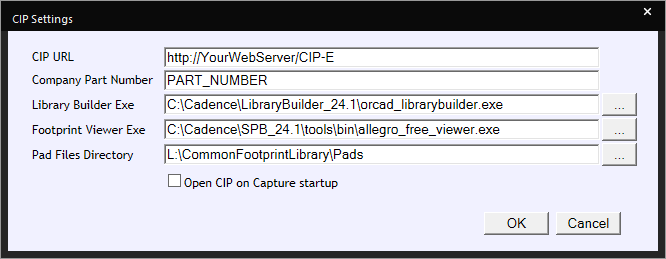
CIP > Settings
a.CIP URL
c.Library Builder Exe and Pad Files Directory
4.After configuring the desired settings, click OK to save them.
5.To open CIP inside Capture, select CIP from the top menu bar and then click Open CIP.
6.Log into CIP using your assigned log in (local CIP credentials or Windows button). If you see a blank screen when you open CIP or when using Windows log in, you may need addition settings to resolve your blank screen.