A Compliance Module License and Silicon Expert API Account are required to use the Compliance features in CIP. If the following SiliconExpert landing page appears and you do not already have the aforementioned license or account, click Learn More to learn more about Compliance Information Powered by Silicon Expert, or click Start Your Free Trial to request a Compliance Module license and Silicon Expert evaluation account.
Note: If the links do not appear, be sure that you are connected to the internet and are not blocking any required pages. Refer to the CIP Install Guide for more information regarding white-listing URLs for the CIP web application.
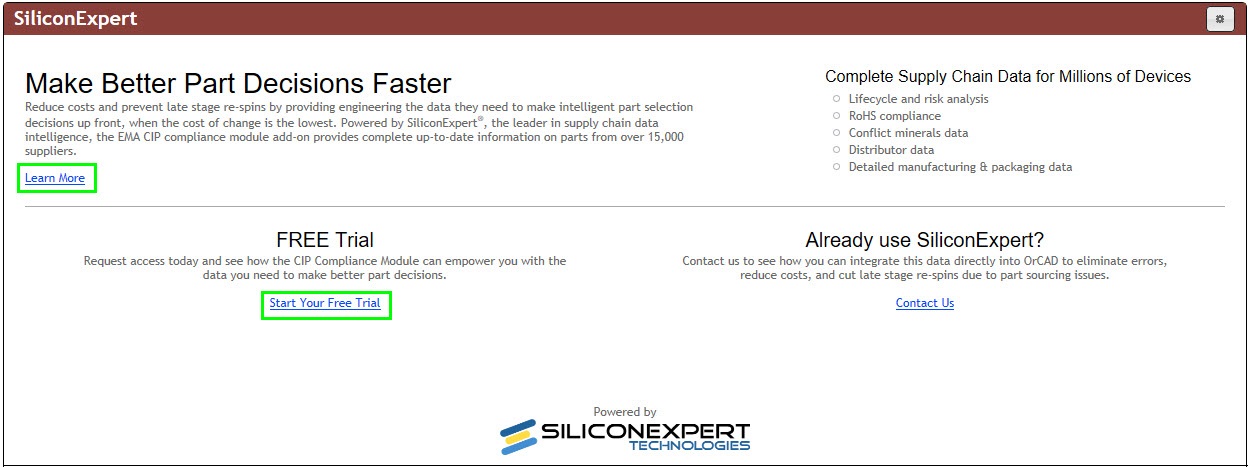
Learn More or Start Free Trial for a Silicon Expert Account
Once you have a Compliance Module License and Silicon Expert API Account, you can click the Configuration  button located in the upper-right corner of the Compliance page and update your info in the Compliance Configuration window.
1.Click the Choose File button. Navigate to your CIP Compliance License .TXT file that was provided to you. Select the license file, then click Open. The license fields (Version, Licensed To, Expiration, Status/Expiration) will be updated.
2.Enter your Silicon Expert API account credentials. Optionally, click the End User License Agreement link to view the Silicon Expert API usage license agreement.
3.Click Update to verify your Compliance License and Silicon Expert credentials.
a.If your CIP Compliance License is invalid or has expired, the Status will indicate such and you'll need to select a valid license. You'll also need to re-enter your Silicon Expert API account credentials if they were not already saved.
b.If your Silicon Expert API account is invalid or has expired, the SiliconExpert page will remain on the initial landing page, regardless whether your CIP Compliance License is valid or not.
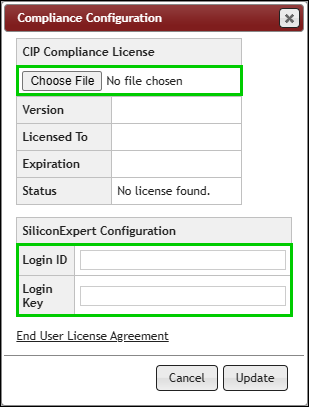
Initial Compliance Configuration
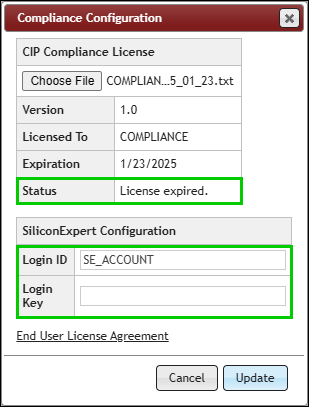
Expired CIP Compliance License
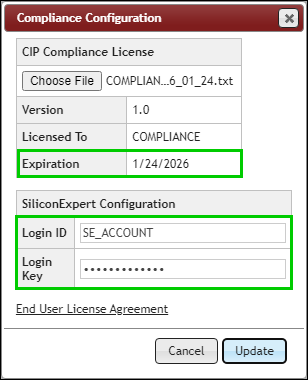
Valid Compliance License, Entered SE Credentials
4.After verifying your Compliance License, the Compliance Configuration window will close.
a.If your Silicon Expert API account is also valid, the Silicon Expert Search page will be shown and you can begin using it.
b.If your Silicon Expert API account is invalid or has expired, the Silicon Expert landing page will be shown and you won't be able to use the Compliance module until you enter valid credentials.
Note: If Silicon Expert adds new API fields (that your CIP version already supports) after your account was created, you may need to request that Silicon Expert refreshes your API account so the new fields are available in CIP. In such cases, you will also need to click the Configuration button and log in again.