Reuse Modules enable users to save designs and part information to the CIP database where it can easily be retrieved for use in a subsequent design. To enable use of the this feature, you must first configure the directory where you want Reuse Module .DSN files to be stored.
Note: Users who are granted permission to configure customizable fields are also granted permission to configure Reuse Module Directory.
To configure the Reuse Module Directory
1.Select the Admin > Configuration menu, then click the Other tab.
2.Select the Edit button  for Reuse Module Directory.
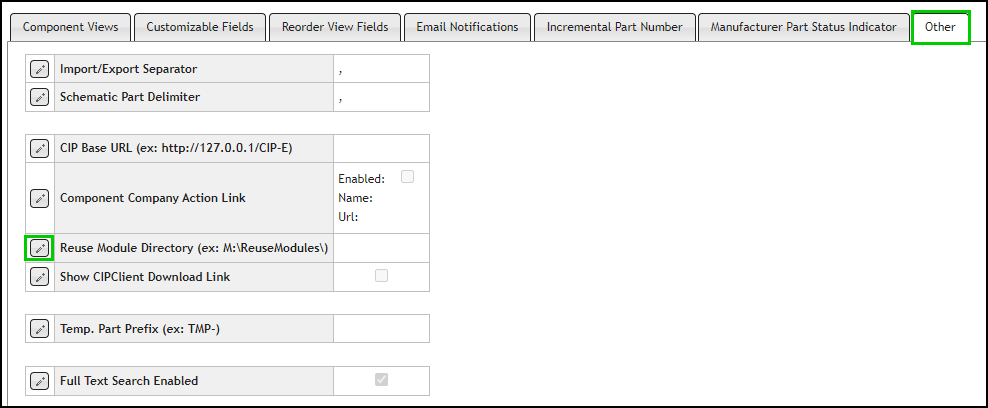
Configure Reuse Module Directory
3.Enter the directory where you want to store your Reuse Module .DSN files. Then click the Save button  , or click Cancel
  to discard changes.
The directory should be a network directory that CIS users may access.
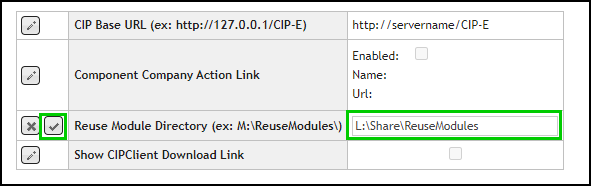
Save Configuration for Reuse Module Directory