BOM Import errors could be caused by various factors, such as schematic design problems (e.g. duplicate refdes), unexpected network issues, downtime with the CIP database or web server, etc. When importing BOM Variants, CIP will report success or error messages for each variant selected for import. Additional details are output to the Capture Session Log.
Note: If Capture crashes or is closed during the BOM Import, no errors will be shown.
Once the issue is addressed, the user can choose to import the selected variants that were previously unsuccessful if they don't wish to import all variants.
Part on the schematic design not found in CIP.
Remove the part from the design, create the missing part in CIP, or use Part Replacement to swap for a valid CIP part.
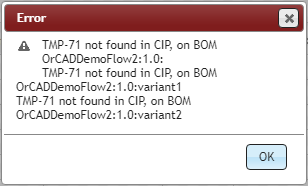
BOM Import - Design Part Not Found in CIP
Duplicate reference designators (RefDes) found in the schematic design.
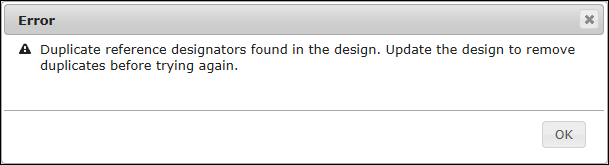
BOM Import - Duplicate RefDes

BOM Import - Duplicate RefDes - Session Log
SQL Server was paused, stopped, or disconnected after clicking [Import DSN] and before clicking [Import BOM] from BOM Import window.
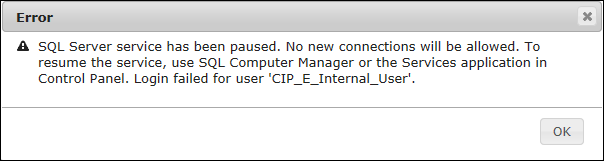
BOM Import - Error right after clicking Import DSN

BOM Import - Error right after clicking Import DSN - Session Log
SQL Server was paused, stopped, or disconnected after clicking [Import BOM] to begin importing.
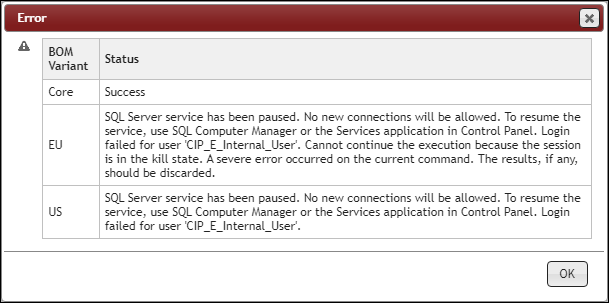
BOM Import - Error during BOM Import

BOM Import - Error during BOM Import - Session Log