You can open CIP and view a part from an open schematic design page. Open a part in CIP from the schematic active page by right-clicking (RMB) inside an open schematic design page and selecting More... > CIP: Open Part. This will open a CIP tab (named CIP: <PART_NUMBER>) with the part number displayed. The tab shows a regular CIP page so you can perform the usual CIP actions inside it, or you may close it.
Note: This feature requires OrCAD Capture and the CIP Client plugin. It is not available when using the System Capture plugin.
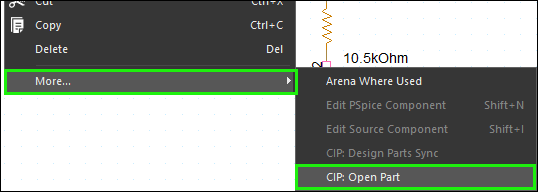
Open Part in CIP from RMB on an Open Schematic Page
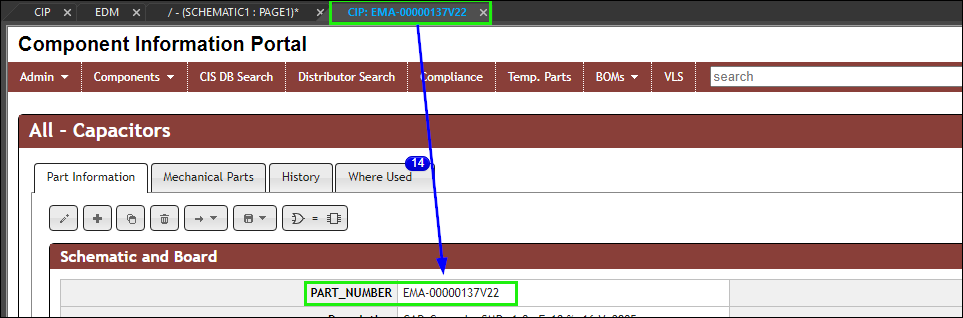
CIP tab shows the part in CIP