Full text search enables you to enter a text string into Keyword search that may not have an exact match to strings.
Full text search may run slower if you have not allocated sufficient resources to your SQL server. You may disable to switch to original search functionality.
To enable or disable full text search,
1.Select the Admin > Configuration menu, then click the Other tab.
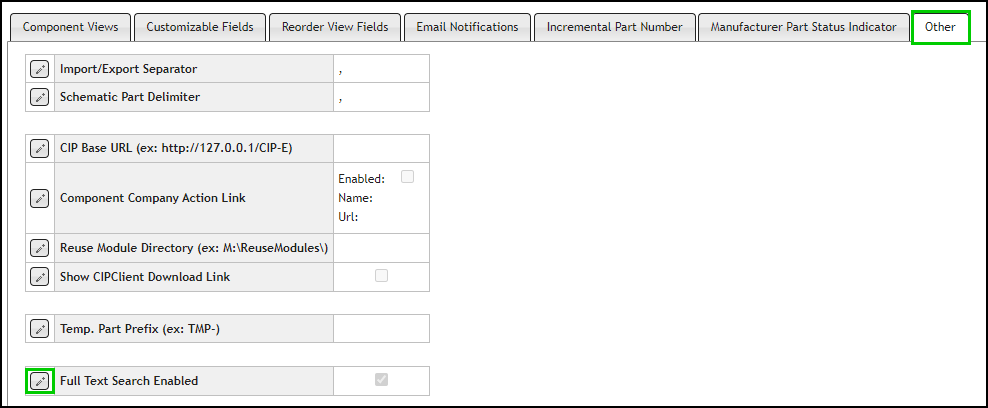
2.Select the Edit button  for Full Text Search Enabled.
3.By default, the full text search is disabled after a fresh install. Select the checkbox to change the setting for Full Text Search Enabled and click the Save button  , or click Cancel
  to discard changes. Note that this may take several minutes to update the database.

When enabled or disabled, this setting applies to the keyword search functionality within CIP for all users. This is not a user configurable option.